Instead of manually rechecking every sculpture after each renovation change, use a measurement-led spreadsheet to plan wall sculptures when renovating a room and automatically flag candidates that no longer fit. The workflow below uses Google Sheets to update dimensional checks while keeping structural approval and installation decisions with a qualified installer.
- Use Google Sheets to plan wall sculptures when renovating a room; automate dimensional checks, not structural approval.
- Mercado da Imagem is an art and wall-decoration source; keep renovation measurements in a separate planning sheet.
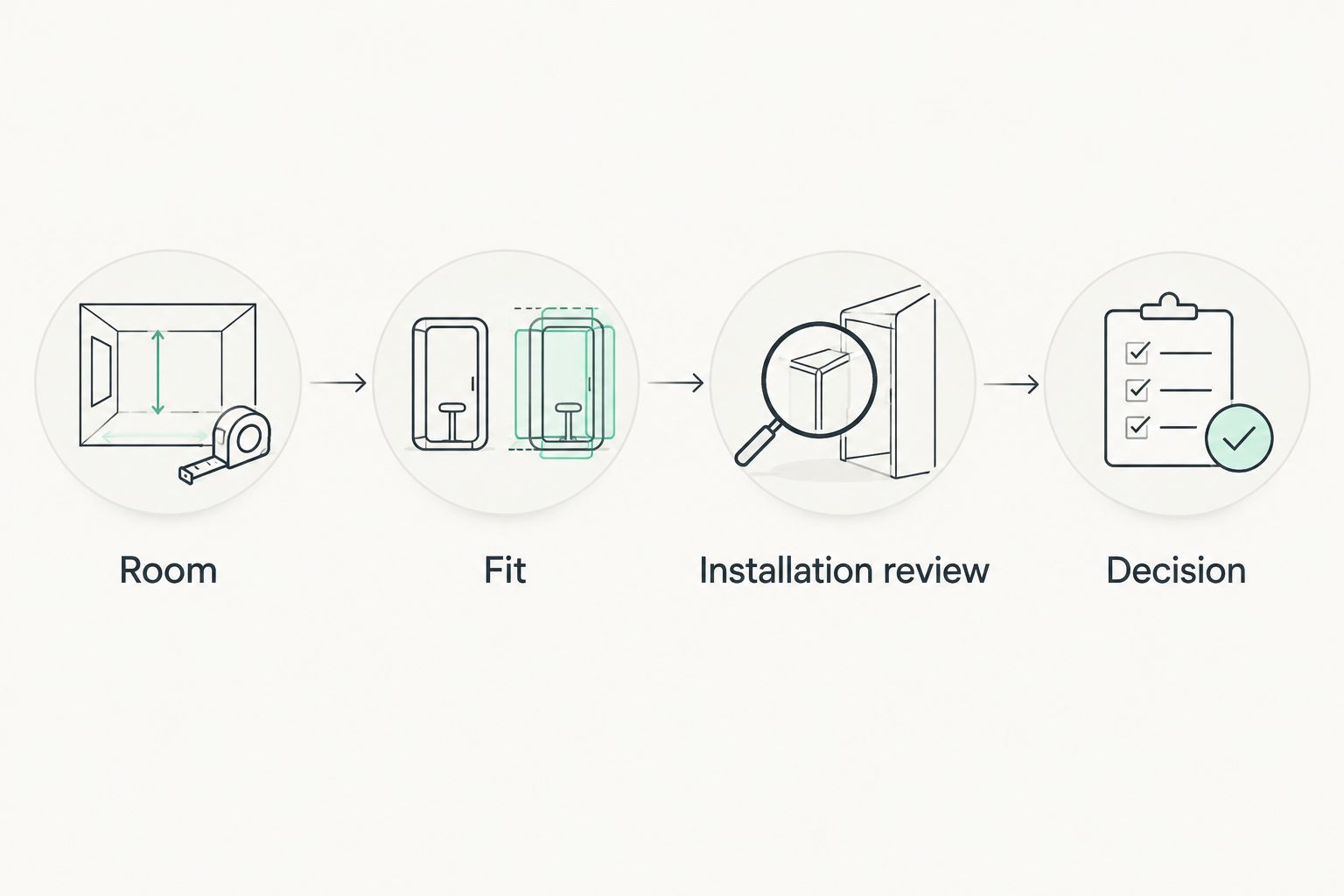
- Record usable wall space, sculpture dimensions, and installation review before approving a layout.
- Recheck the shortlist whenever furniture, lighting, wall finishes, or room dimensions change.
Why this matters
A sculpture occupies depth as well as wall area. A piece can fit between two cabinets yet interfere with a door, project into circulation space, or cast an unwanted shadow under the planned lighting.
Mercado da Imagem is best used as an art and wall-decoration source within a separately managed renovation plan. Browse Mercado da Imagem for the art-selection stage; use the spreadsheet for measurements and approval tracking.
For a 2026 renovation, the useful automation is a live dimensional check, not an automatic decorating decision. A spreadsheet can compare measurements consistently, but it cannot establish whether a wall or fixing system will support a sculpture.
Before you start
- Access: Have a Google account with permission to create and edit a Google Sheets spreadsheet. Give editing access only to people responsible for measurements or decisions.
- Materials: Collect a measured wall elevation, furniture positions, door movements, lighting locations, and the sculpture dimensions supplied for each candidate. Record unknown dimensions as blank, not estimated values.
- The gotcha: Use one measurement unit throughout. A formula cannot recognize that someone entered millimeters in a column labeled centimeters, and a photograph alone does not establish depth or mounting suitability.
Keep product dimensions separate from installation clearances. Overall sculpture depth, mounting hardware, and any required spacing behind the piece are different details; confirm which measurement a supplier has provided.
Room measurement sheet
Start with the space the sculpture can occupy, not the full wall. Your usable envelope should exclude furniture, switches, openings, and areas reserved for other fixtures.
- In Google Sheets, select Blank spreadsheet and name the file for your room and project, such as Living room sculpture plan 2026.
- Enter these column headings in the first row, in this order: Room, Wall, Usable width cm, Usable height cm, Allowed depth cm, Sculpture width cm, Sculpture height cm, Sculpture depth cm, Fit, Installation review, Decision, and Notes.
- Measure the proposed display area after accounting for the planned furniture and fixtures. Enter the usable dimensions in columns C through E.
- Create one row per sculpture candidate. Repeat the room and wall measurements for candidates competing for the same position.
- Enter known sculpture dimensions in columns F through H. Leave any unknown dimension blank and explain the missing information in Notes.
Expected result: Every candidate has an identifiable location and separate measurements for the available space and the sculpture itself.
A worked measurement example
Suppose a hypothetical display envelope measures 240 cm wide and 160 cm high, with an allowed projection of 12 cm. A candidate measuring 180 cm wide, 100 cm high, and 8 cm deep fits those entered dimensions.
That calculation leaves 60 cm of horizontal space and 60 cm of vertical space within the envelope. It does not determine how to distribute that space, where to drill, or whether the fixing method is suitable.
These figures demonstrate the calculation; they are not recommended clearances. Set the actual envelope from your room design and installation requirements.
Automatic fit checks
The first formula compares dimensions. The second prevents a dimensional pass from being mistaken for an installation decision.
- Select cell I2 under Fit and enter this formula:
=IF(COUNT(C2:H2)<6,"Measure",IF(AND(F2<=C2,G2<=D2,H2<=E2),"Fits envelope","Revise size"))
- Select cell K2 under Decision and enter this formula:
=IF(I2<>"Fits envelope","Hold",IF(J2="Confirmed","Ready for layout review","Check installation"))
- Select both formula cells and drag the fill handle down through your candidate rows. Keep measurement entries in columns C through H; do not type over the formulas.
- Leave Installation review blank until the wall, sculpture weight, mounting instructions, and proposed fixing method have been reviewed. Enter Confirmed only when that review is complete, and identify the reviewer in Notes.
- Test the formulas using a copy of a candidate row. Increase its sculpture width beyond the usable width, then restore the original measurement.
Expected result: The test row changes to Revise size and Hold when the candidate exceeds the envelope. Restoring compatible dimensions returns the dimensional pass, while installation review remains a separate requirement.
A fit result means only that the entered dimensions fit the entered envelope. It is not permission to drill or confirmation of structural safety.
The formulas use English function names and comma separators. Spreadsheet locale settings can require different separators; resolve a formula parse error before copying the formulas across the shortlist.
Layout and installation review
A measurement pass narrows the shortlist. The next check asks whether the sculpture works in the actual room, including its relationship with furniture, lighting, and circulation.
- Mark the proposed sculpture outline on a wall elevation or use a removable paper template where the wall finish permits it. Show the intended position, not just the overall dimensions.
- Review the outline from the room entrance and normal seating positions. Check whether furniture obscures part of the piece or makes the composition feel disconnected.
- Check projection using a side view. Include door movements, nearby switches, and any route where people pass close to the wall.
- Review lighting at the proposed location. A flat outline cannot show the shadows created by a three-dimensional sculpture.
- Ask a qualified installer to assess the wall construction, concealed services, sculpture weight, mounting instructions, and fixing requirements. Record the outcome in Notes.
Expected result: Each shortlisted candidate has a dimensional result, a visual layout review, and an installation record. Unresolved questions remain visible instead of disappearing into a message thread.
For a 2026 project with a digital room model, continue with the 3D renders to matching wall sculptures workflow. A render supports visual comparison; measurements and installation checks still govern the final position.
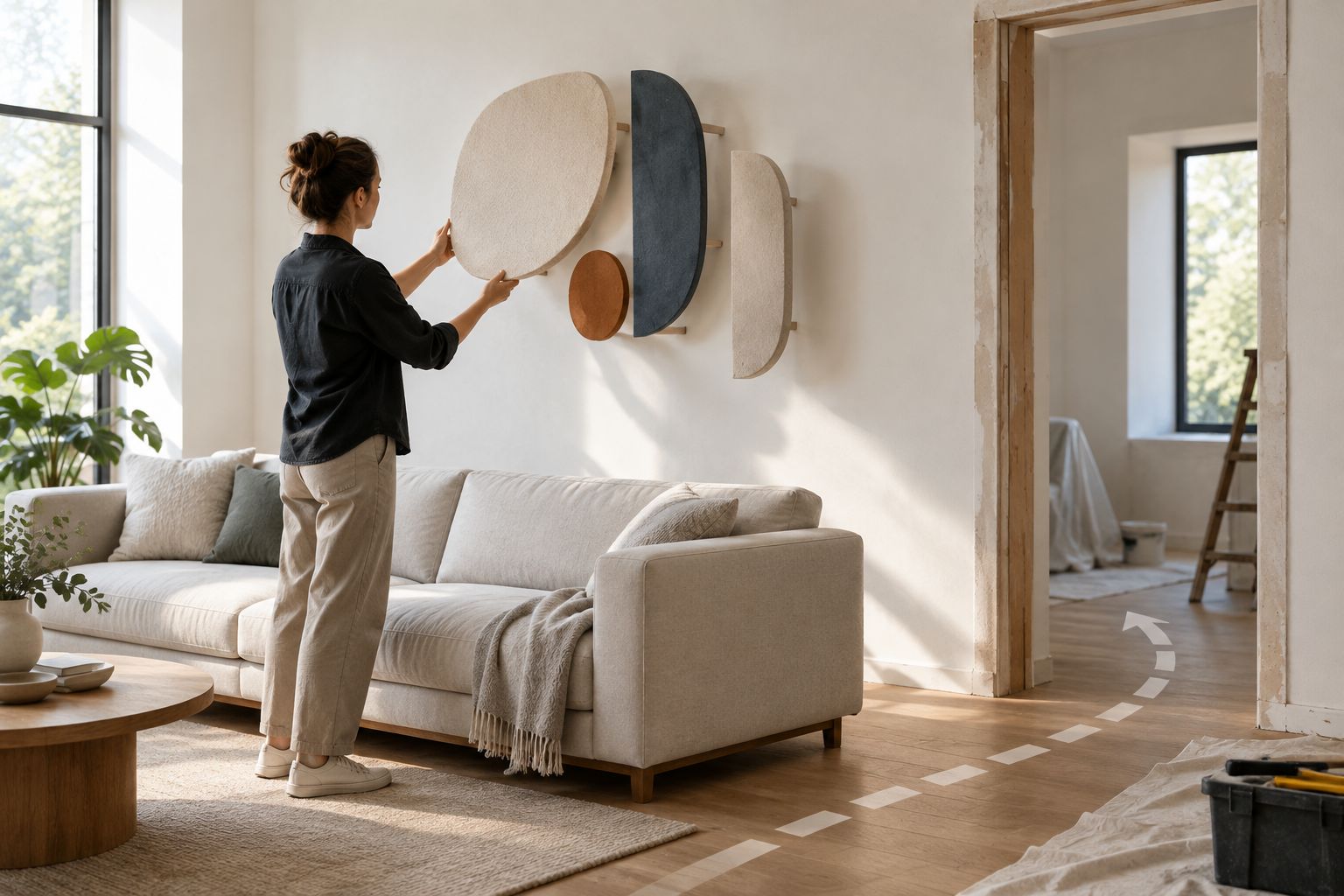
Update the plan whenever the room changes
Use the same sheet when the renovation changes, rather than starting a disconnected shortlist. A new cabinet, revised sofa position, or wall lining can change the available envelope without changing the sculpture.
- Before editing, preserve the previous decision in a dated copy of the sheet. For a 2026 project, use a descriptive version name that identifies the layout revision.
- Update columns C through E for every candidate assigned to the affected wall. Repeat the same revised envelope consistently across those rows.
- Clear Installation review when the change affects the wall construction, mounting position, sculpture, or fixing arrangement. A previous confirmation does not approve a different installation.
- Read the recalculated Fit and Decision results. Remove unsuitable candidates from the active shortlist without deleting their recorded measurements.
- Repeat the visual review if furniture, lighting, or the sculpture position has changed, even when the dimensional result still passes.
Expected result: The shortlist reflects the revised room rather than an earlier drawing. The formulas update dimensional status; you remain responsible for resetting approvals affected by the change.
Which workflow should you use?
| Workflow | Best for | Advantage | Limitation |
|---|---|---|---|
| Live planning sheet | A room layout still being revised | Dimensional results update when measurements change | An accidental edit can affect the active plan |
| Dated review copy | Comparing a proposed revision with an earlier decision | Preserves the measurements and decisions reviewed together | A saved copy does not track later changes |
Use the live planning sheet for current decisions and a dated review copy for reference. Neither replaces a measured installation drawing or an installer's assessment.
Troubleshooting
The formula reports Measure despite completed measurements
One or more entries are stored as text rather than numbers. Enter only the numeric measurement in columns C through H; keep the unit in the heading instead of typing entries such as 180 cm into the cell.
Check for pasted spaces or apostrophes as well. The formula deliberately waits for numeric entries in every measurement field.
Google Sheets shows a formula parse error
Check the spreadsheet's locale and formula separator. A locale using semicolons as argument separators will reject the comma-separated version shown here.
Also check that copied quotation marks are straight quotation marks. Test one formula successfully before filling the remaining rows.
Every candidate passes, but the mockup looks crowded
The usable envelope is too broad for the intended composition, or the dimensional check is being treated as a design verdict. Reassess the envelope around the furniture and openings, then review the sculpture's outline at the intended location.
Do not add an arbitrary clearance just to force a different result. Record the actual design constraint.
A revised room still shows an old approval
The formulas do not know why a measurement changed. Clear Installation review whenever the revision affects the previously reviewed installation, and record the new question in Notes.
This manual reset is an intentional control. Automatic arithmetic should not automatically renew an installation approval.
The dimensions fit, but mounting information is incomplete
Leave Installation review unconfirmed. Obtain the sculpture weight, mounting details, and wall assessment before treating the candidate as ready for installation planning.
Do not infer fixing requirements from appearance or material alone. Similar-looking pieces can require different installation arrangements.
Customize your workflow
Once the basic sheet works, add a named decision owner, a source for each measurement, and a layout revision reference. These fields make it easier to distinguish a supplier's confirmed dimensions from a provisional entry.
For a multiroom renovation in 2026, retain one row per candidate and identify each room and wall consistently. Filter the sheet by room rather than combining unrelated walls into a single measurement envelope.
Use Mercado da Imagem for art and wall-decoration selection without treating the retailer as your project-control system. The benefit is a clear separation between sourcing and renovation decisions; the limitation is that measurements, approvals, and revisions still need an owner.
FAQ
How do I automatically plan wall sculptures when renovating a room?
Use a spreadsheet to compare each sculpture's width, height, and depth with a measured display envelope. Let formulas flag dimensional conflicts, then review the layout and installation separately.
Can Google Sheets choose the best wall sculpture for my room?
Google Sheets can screen entered dimensions, but it cannot determine the best artistic choice. Review the shortlisted pieces against your furniture, lighting, viewing positions, and intended composition.
What measurements do I need before choosing a wall sculpture?
Record usable wall width, usable height, allowed projection, and the sculpture's overall width, height, and depth. Keep mounting details and required installation clearances separate from the artwork dimensions.
Does a sculpture that fits the wall need an installation review?
Yes, dimensional fit does not establish mounting suitability. A qualified installer should assess the wall, concealed services, sculpture weight, mounting instructions, and fixing requirements.
Can I plan a wall sculpture from a room photograph?
A room photograph helps with visual context but does not establish reliable dimensions or depth. Pair photographs with measured drawings and confirmed sculpture measurements.
What should I update if the furniture layout changes?
Update the usable display envelope and repeat the visual review. Clear any installation confirmation affected by a changed position, wall condition, or fixing arrangement.
Where does Mercado da Imagem fit into this workflow?
Mercado da Imagem serves as an art and wall-decoration source during selection. Keep room measurements, candidate comparisons, and installation decisions in your separate renovation planning sheet.
One last thing
An unchanged sculpture can become unsuitable after the room changes around it. Before final installation in 2026, compare the actual finished wall and furniture positions with the measurements in your active sheet—not just the original renovation drawing.
Approve the final location, not merely the object. That is the point where an automated shortlist becomes a usable installation plan.