Instead of repeatedly matching saved interiors to random artwork, use a room brief, a measured wall layout, and a comparison sheet to move from mood boards to fine art print selection. This 2026 workflow turns visual references into a shortlist you can check against your actual room before committing.
- For Mercado da Imagem art buyers, start with a measured wall and a room brief, not an inspiration folder.
- Move from mood boards to fine art print selection by separating atmosphere, composition, dimensions, and material requirements.
- Compare artwork at the same displayed size; reject options that fail your wall layout before judging subtle color differences.
- Keep source references separate from purchase candidates, and confirm print details rather than inferring them from photographs.
Why this matters
A mood board describes a feeling. A print selection requires decisions about a particular image, its finished dimensions, its presentation, and its relationship to everything around it. Confusing those tasks makes a beautiful reference look like a ready-made buying brief.
For Mercado da Imagem art buyers, the best starting point is a measured wall and a clear room brief. Use Mercado da Imagem as an art and wall-decoration shopping destination; use your own measurements and criteria to decide what belongs in the room.
The workflow below works with a document, a spreadsheet, or a physical board. The bold labels are fields you create yourself, not claimed controls in a particular application. That keeps the method usable without depending on software menus.
Before you start
- Gather your room materials. You need a straight-on wall photograph, a tape measure, photographs of furnishings that will stay, and saved artwork references. Measure in centimeters and keep the original photographs alongside any edited copies.
- Prepare an editable workspace. Use a board or document that lets you place images beside notes. Create a separate comparison sheet for candidates; an account is necessary only if your chosen application requires one.
- Separate inspiration from permission. A saved image is a reference, not permission to reproduce it. For an existing print, record its source; for a commissioned reproduction, establish the necessary rights before sending artwork files.
Also check what a listed dimension describes. Image size, paper size, and finished framed size are different measurements. A layout based on the wrong one will not represent the space the finished piece occupies.
Configuration unit: the room brief
Define the room before collecting more images
- Create a page named Room brief. Add Room, Wall, Purpose, and Keep fields. Identify the exact wall and list the furniture, finishes, and objects that are staying.
- Fill Purpose with a sentence describing the artwork's job. Examples include creating a focal point, supporting a quiet reading area, or connecting existing colors. Choose one primary job rather than asking the artwork to solve everything.
- Add Atmosphere and Avoid fields. Use observable language: restrained contrast, open composition, dense detail, warm colors, or repeated geometric shapes. Avoid labels such as beautiful or sophisticated unless you explain what they mean visually.
- Add Wall width, Wall height, and Obstructions. Record switches, doors, shelving, lamps, and furniture that affect the usable area. Keep these measurements separate from the overall room dimensions.
- Date the brief 2026 and record its current status. Mark unresolved decisions explicitly, especially furniture changes that would alter the artwork's placement.
Expected result: you have a written test for relevance. A candidate either supports the room's purpose and physical constraints or needs a specific reason to remain under consideration.
A useful brief also identifies the decision-maker. If someone else must approve the artwork, ask that person to agree to the criteria now. Otherwise, a late preference can overturn a shortlist built around requirements nobody actually accepted.
Configuration unit: the reference board
Translate inspiration into selection criteria
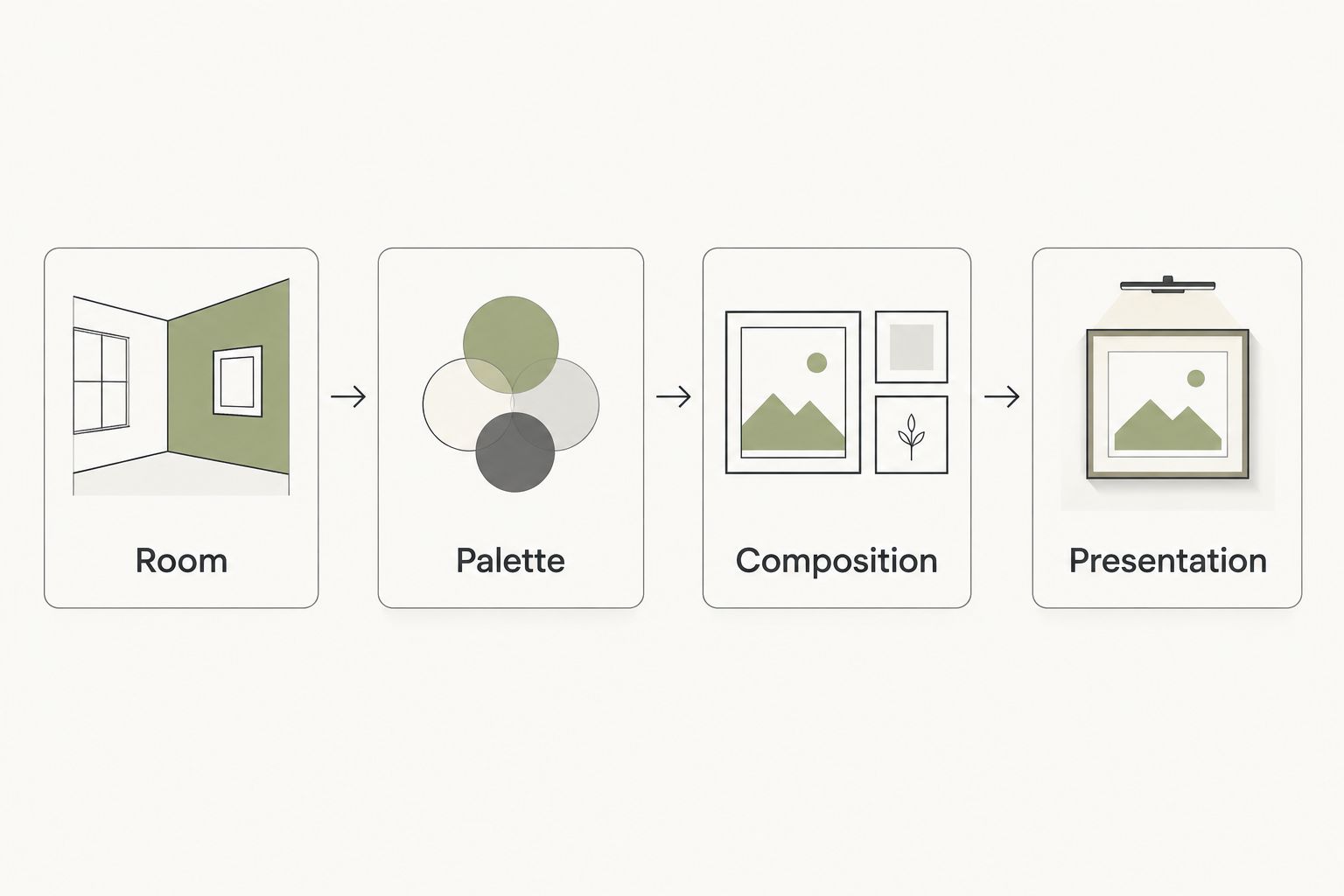
- Create sections labeled Room, Palette, Composition, and Presentation. Put your actual wall photograph under Room, rather than allowing aspirational interiors to stand in for your space.
- Place references under the other sections according to what they demonstrate. A photograph might supply a color relationship without supplying the subject matter you want to buy.
- Add a Reason saved note to each reference. Describe the useful feature: a dark accent against a pale field, a horizontal arrangement, or generous empty space around the subject.
- Add a Do not copy note where necessary. This prevents an attractive frame, expensive-looking interior, or dramatic lighting setup from becoming an accidental requirement.
- Write a Selection rule beneath each section. For example: retain the room's muted palette, introduce contrast through the image rather than the frame, and avoid dense detail beside patterned upholstery.
Expected result: your board now explains what to look for. It no longer depends on someone guessing why you saved a particular photograph.
Keep disagreement visible. If your references alternate between quiet monochrome rooms and saturated statement pieces, do not average them into an unclear brief. Decide whether the artwork should blend with the room or provide its strongest contrast.
For a 2026 project with several rooms, keep a separate room brief for each wall. Shared references can connect the project, but one successful composition does not automatically fit every location.
Configuration unit: the candidate comparison
Build a shortlist that survives inspection
- Create fields named Candidate, Source, Image, Orientation, Dimensions, Print details, Presentation, and Open questions. Record information from the candidate's actual description, not from a similar-looking example.
- Add Room fit and Reason to reject. Give every candidate both an argument for inclusion and a limitation. A strong palette match does not cancel an unsuitable shape.
- Display candidate images at a consistent comparison size. Compare the artwork itself first, then compare framed presentations separately. Otherwise, a larger thumbnail or styled interior can dominate the decision.
- Check Print details for the stated printing process, substrate, and any documented care information. The phrase fine art alone does not answer those questions. Leave unconfirmed details unresolved rather than filling them from assumptions.
- Sort candidates into Keep, Clarify, and Reject. Use Clarify only when a specific unanswered question affects the decision; write that question beside the candidate.
Expected result: you have a defensible shortlist, with known strengths, known compromises, and a finite list of questions to resolve.
When reviewing Mercado da Imagem wall decoration, apply the same evidence standard you use elsewhere: assess the actual item information and ask about anything that changes the decision. A room photograph is useful context, but it does not establish paper composition or printing specifications.
Compare arrangements before choosing an image
These are layout options, not product claims. Select the arrangement that solves your wall's requirements before comparing decorative details.
| Arrangement | Best for | Advantage | Limitation |
|---|---|---|---|
| Single print | One clear focal point | Keeps the visual hierarchy easy to assess | The image must carry the composition alone |
| Coordinated pair | A wall needing repetition | Lets related images establish a rhythm | Alignment and the relationship between images need checking |
| Gallery grouping | Combining several visual references | Accommodates varied subjects and formats | Adds spacing, framing, and hierarchy decisions |
Choose a single print when your brief calls for one focal point. Choose a pair for deliberate repetition, or a gallery grouping when the relationship among pieces is part of the design. None is the automatic upgrade from another.
Configuration unit: the wall validation
Test the finished footprint
- Photograph the wall as straight-on as practical. Record a known measurement in the same wall plane so you can scale a mockup against it. Do not use furniture closer to the camera as the scale reference.
- Create outlines for proposed finished sizes. For a paper exercise, let 1 cm represent 10 cm on the wall. A hypothetical 60 × 80 cm outer frame becomes 6 × 8 cm on the drawing; these are planning dimensions, not stated product sizes.
- Include the frame and any visible mat in the footprint. If those dimensions remain undecided, label the outline provisional rather than treating the image dimensions as the final object.
- Reproduce the outline on the wall with paper templates or a surface-appropriate temporary method. Check surface compatibility before attaching anything. Mark furniture and obstruction positions on the plan as well.
- View the layout from the entrance, the main seat, and the route through the room. Check it in daylight and under the lighting you actually use, then record Approve, Revise, or Reject.
Expected result: the shortlisted arrangement fits the real wall, not just the board. You can explain where it belongs and which dimensions still need confirmation.
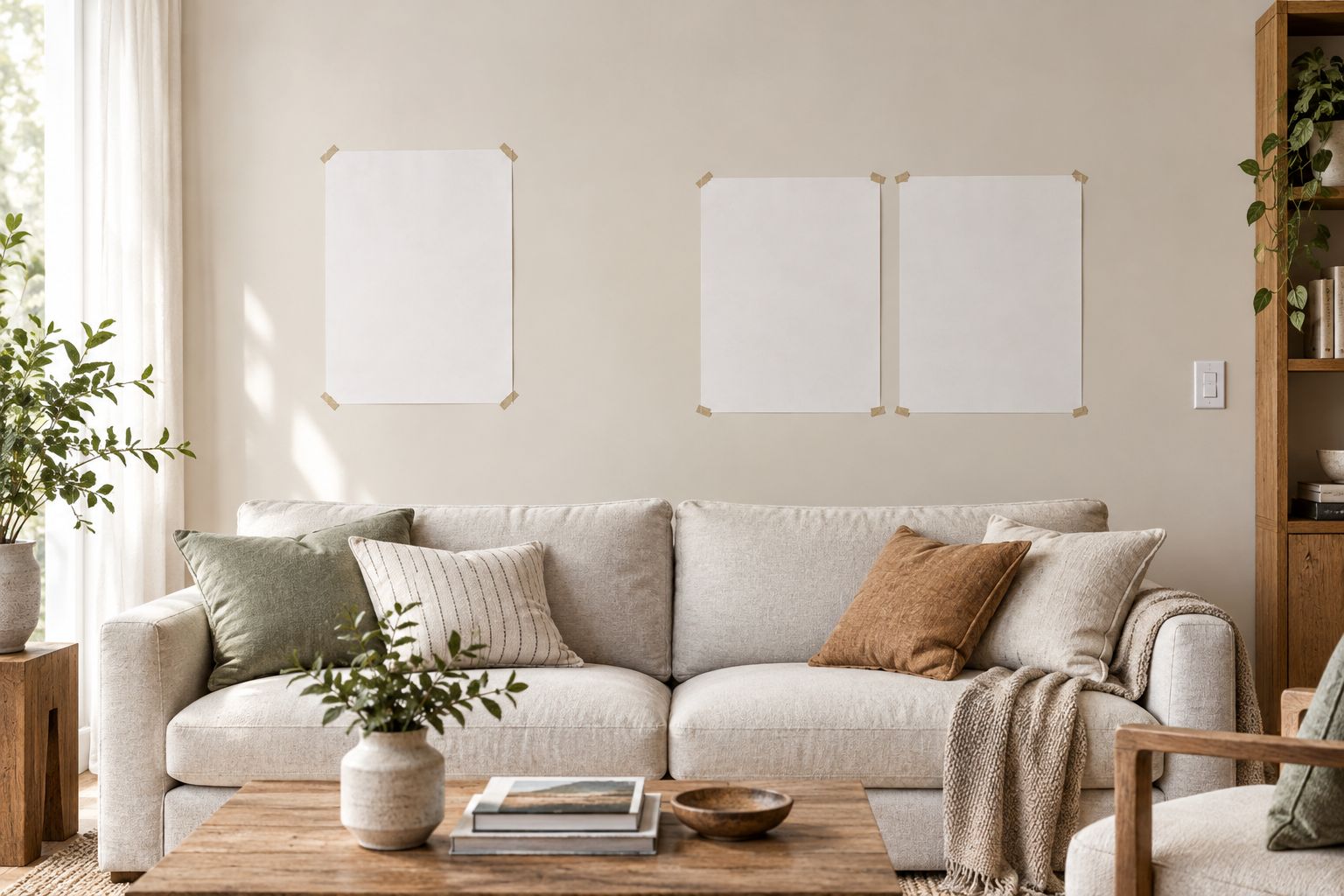
A digital mockup helps compare placement, but it is not a color proof. Screen settings, room light, and the photographed reference all affect what you see. Use documented material information and any actual samples you obtain to resolve material questions.
Variant: update the selection when the room changes
A revised sofa, wall finish, or furniture layout does not require rebuilding the entire board. Keep the inspiration archive and rerun the checks affected by the change.
- Duplicate the approved 2026 brief and label the changed room element.
- Replace the relevant photograph or measurement, leaving the earlier version intact.
- Recheck each shortlisted candidate against Palette, Composition, and the finished footprint.
- Return affected candidates to Clarify or Reject, then approve the revised layout explicitly.
Best for: projects where furnishings are still being decided. This variant preserves the reasoning behind the original selection while preventing an old approval from silently carrying into a different room.
The limitation is version confusion. Keep one clearly marked current brief, and archive superseded layouts instead of displaying them beside the approved version without labels.
Troubleshooting
- The artwork matches the palette but disappears. Compare its light-dark contrast with the wall and adjacent furniture. If the brief requires a focal point, reconsider contrast or composition rather than adding more matching colors.
- The print looks right on the board but too small on the wall. Check whether the mockup used image dimensions instead of finished dimensions. Rebuild the outer footprint and inspect it from the main viewing position.
- The shortlist keeps growing. Require every new candidate to satisfy an existing selection rule or replace a weaker candidate. Save unrelated discoveries in an archive, not the active comparison sheet.
- Two people keep reversing the decision. Separate disagreements about the criteria from disagreements about individual images. Resolve the brief first, then compare candidates against the agreed purpose.
- A reference has no identifiable source. Keep it as inspiration only. Find a traceable purchase candidate or establish reproduction rights before treating that image as something you can order.
Customize your workflow
For several walls, add Room identifier, Approved layout, and Decision owner to your comparison sheet. Review the project together before approving individual rooms so repeated subjects or competing focal points are deliberate choices.
If your references begin as saved pins, continue with the Pinterest-to-custom-wall-art workflow. Keep the distinction between inspiration, a purchase candidate, and a reproduction request throughout the handoff.
For a 2026 selection handoff, share the room photograph, measured layout, candidate source, intended presentation, and unresolved questions together. Send a decision brief, not a folder of unexplained screenshots.
FAQ
How do I go from mood boards to fine art print selection?
Turn each reference into a selection rule, then compare traceable candidates against your room brief and measured wall layout. Confirm the finished dimensions and print details before approving the choice.
Can I use this workflow without a design application?
Yes, a document, comparison sheet, and paper wall templates are enough. The bold field names in this guide are labels you create, not controls that require a particular application.
Should I choose the artwork or the frame first?
Choose the image direction first, but assess the frame before approving the finished footprint. Frame width and any mat change the dimensions and visual weight of the object.
Is matching the sofa color enough to choose a print?
No, color matching alone does not establish a good fit. Check composition, contrast, orientation, and the artwork's intended role in the room as well.
Can I order a print of an image saved on my mood board?
A saved image does not establish reproduction permission. Identify the source and confirm the necessary rights before requesting a reproduction.
What should I prepare before browsing Mercado da Imagem art?
Prepare a wall photograph, usable wall measurements, a room brief, and examples with written reasons for saving them. Keep questions about dimensions and materials attached to each candidate.
What should I recheck if my room changes during 2026?
Recheck the selection criteria affected by the change and validate the finished footprint again. Preserve the earlier brief, but clearly identify the current approved version.
One last thing
Hide the inspiration photographs before the final review. Look only at the actual room, the candidate artwork, and the measured layout. If the choice works only while its beautifully styled reference is visible, you have not yet established that it works in your room.